
1997 TJ running rich

JRachunek2

New Member
Original poster
Supporting Member
Joined
Jan 29, 2021
Messages
2
Location
Texas
Ok yall sorry I'm new to this my 97 TJ started running rich after it got wet and died while playing in the mud. No water got into the engine it immediately started back up but was idling extremely rough and running very very rich. I am averaging about 6mpg. I replaced all sensors on the throttle body, put a new coil, cap, rotor, plugs and plug wires. Put a new header on it because the old one was cracked, it tried changing out the O2 sensors with the NKT's but for some reason when I did it started running lean to the point of not being able to get over 2,000 rpms and it would start missing, so I put the old O2 sensors back in it. I don't know what else to do any advice would be greatly appreciated, and no I will not be taking it through the mud anymore.
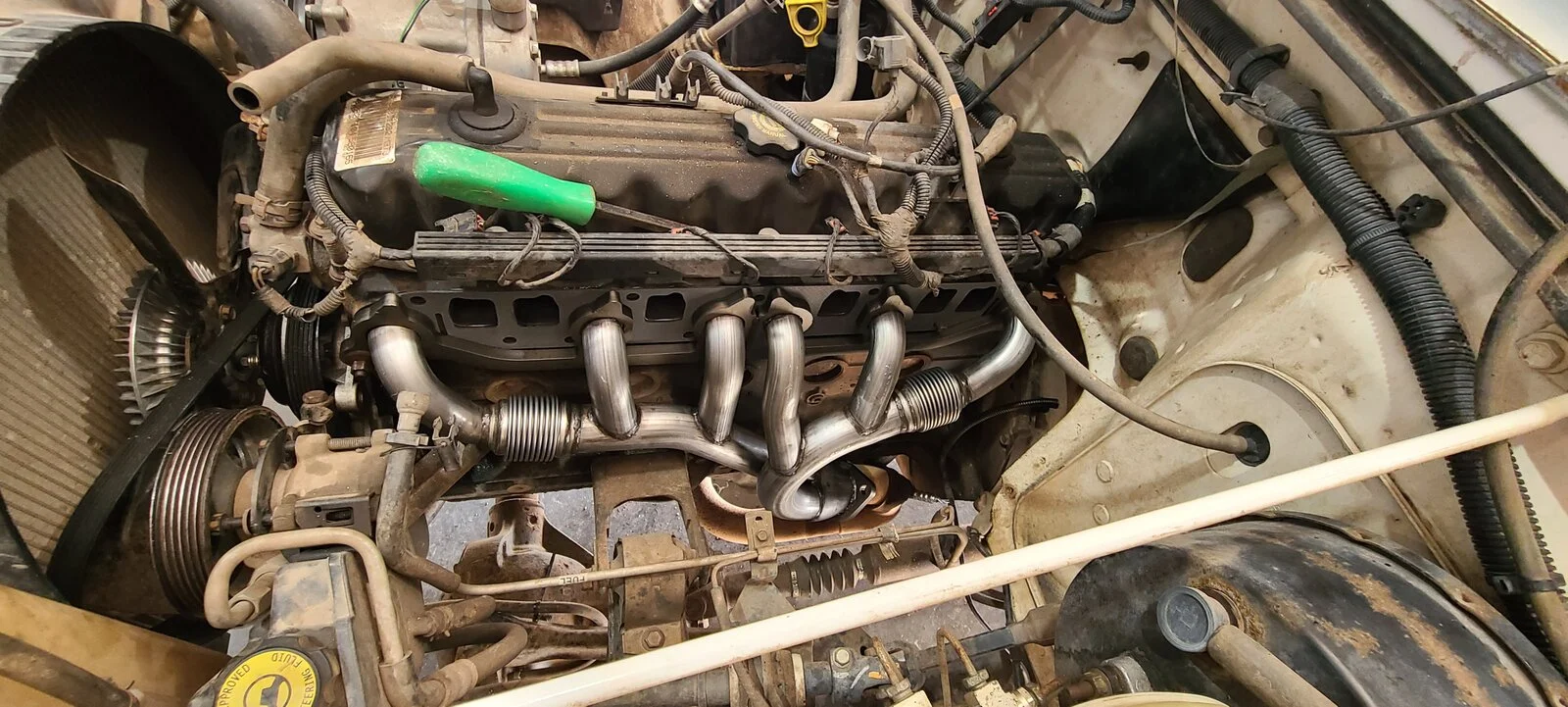

20201206_140143.webp
 
Ok yall sorry I'm new to this my 97 TJ started running rich after it got wet and died while playing in the mud. No water got into the engine it immediately started back up but was idling extremely rough and running very very rich. I am averaging about 6mpg. I replaced all sensors on the throttle body, put a new coil, cap, rotor, plugs and plug wires. Put a new header on it because the old one was cracked, it tried changing out the O2 sensors with the NKT's but for some reason when I did it started running lean to the point of not being able to get over 2,000 rpms and it would start missing, so I put the old O2 sensors back in it. I don't know what else to do any advice would be greatly appreciated, and no I will not be taking it through the mud anymore.

View attachment 222001
Any error codes? Or check engine lights?
 
  • Like
Reactions: JRachunek2
Do you have an OBDII scanner that does real-time data? If so, plug-it-in and see what the engine is doing in real-time.

Not enough people do this, but you can tell a lot from seeing the engine in real-time and what it's doing.
 
  • Like
Reactions: JRachunek2
Disconnect the battery's negative connection and while it's disconnected reinstall the new upstream NTK 02 sensor. That length of time of the battery being disconnected will reset the computer so it can learn the new data levels from the new 02 sensor.

No guarantees but it takes a while for the computer to start being able to properly use the data from new sensors. It's always a good idea to reset the computer by disconnecting the battery for 5-10 minutes when installing a new sensor.
 
Disconnect the battery's negative connection and while it's disconnected reinstall the new upstream NTK 02 sensor. That length of time of the battery being disconnected will reset the computer so it can learn the new data levels from the new 02 sensor.

No guarantees but it takes a while for the computer to start being able to properly use the data from new sensors. It's always a good idea to reset the computer by disconnecting the battery for 5-10 minutes when installing a new sensor.
Exactly what I was going to say.
 
  • Like
Reactions: JRachunek2
I have a check engine light, I tried hooking up my OBDII scanner but it says it can't establish a connection, so I did the key trick and got the codes to flash on the odometer display. I got a 43 6 times, 42 and 31. I tried disconnecting the battery with new O2 sensors and it did the same thing and gave me the same codes.
43 was misfire detected
42 ASD/ fuel pump malfunction/ condition
31ac relay
 
Disconnect the battery's negative connection and while it's disconnected reinstall the new upstream NTK 02 sensor. That length of time of the battery being disconnected will reset the computer so it can learn the new data levels from the new 02 sensor.

No guarantees but it takes a while for the computer to start being able to properly use the data from new sensors. It's always a good idea to reset the computer by disconnecting the battery for 5-10 minutes when installing a new sensor.
Turn the lights on when you have the battery unhooked. That will help ensure all voltage gets out of the system, ensuring the computer has to reset.
All you need to do is unhook the battery and turn the key to the starting position(as if you're teying to start it) holding there for 5-8 seconds...
Turn key back to proper location....
All voltage gone.