Hey y'all! As it's been covered multiple times on every site possible, I'd figured I'd take you down my ODPA run around.
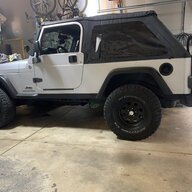
When I bought my LJ the guy gave me a brand new ODPA(wrapped in bubble wrap, no box, no p/n) and a BNIB Mopar cam sensor. He told me he had a CEL on once, not too long ago, having a cam sensor code so he bought the parts. He had cleared the code and it never came back so he never put the parts in. After investigating what trips the light and my restlessness to tinker I figured I'd see how much play was in the installed unit, maybe that tripped the CEL at one point. Pulled the cap and the wheel definitely moved up and down more than I was comfortable with as the new one had about zero. I proceeded to watch YT and read a bunch of threads and decided to swap em. Used the new plastic pin to line up the holes, removed and reinstalled the new one, no problems. Buttoned everything up and tried to start it.....Crank,crank, crank, start.... Wow, that took a while. CEL on almost immediately. WTF? (Oh, I'll mention I removed the sensor that came with the the new unit and swapped it for the new Mopar unit that was almost impossible to get in the bore. Tight!.) Swapped the new mopar sensor for the old Mopar sensor, clear the code and tried to start again. Started immediatly, no light...Sweet! Test drive. About a block away it had a terrible buck and a CEL, again. Hmm, back in the garage, check code P0016 crank sensor code. WTF? Read a few things about the cam and crank sensors being out sync, possible reflash, blah, blah blah. Tried to reset the PCM by using the +/- battery cable method, nothing. Decided to pull the belt, line up the timing marks and check the dist position again. It was off a little, Cool! Found it!, try to start long, long crank before starting and an immediate CEL. One last hail mary, I swapped back the to the sensor that came with the new unit, cleared the code. Started immediately! Ran it to temp, no CEL! Test drive, no CEL! drove to work this morning and everything seems fine!
My best advice for anyone that will attempt this super easy task is take the time to remove the belt and line up the timing marks. I believe that was my issue to begin with, it must have been just off enough even though I took great care when R&R'd the disty. The unit I removed is a Dorman unit with a 2014 build date. It has a bit of a wear pattern on the gear and the stainless washer on top is a bit mis-colored with about 3/32"play up and down. I'll update with pics later, forgot to snap some of the disty last night.
When I bought my LJ the guy gave me a brand new ODPA(wrapped in bubble wrap, no box, no p/n) and a BNIB Mopar cam sensor. He told me he had a CEL on once, not too long ago, having a cam sensor code so he bought the parts. He had cleared the code and it never came back so he never put the parts in. After investigating what trips the light and my restlessness to tinker I figured I'd see how much play was in the installed unit, maybe that tripped the CEL at one point. Pulled the cap and the wheel definitely moved up and down more than I was comfortable with as the new one had about zero. I proceeded to watch YT and read a bunch of threads and decided to swap em. Used the new plastic pin to line up the holes, removed and reinstalled the new one, no problems. Buttoned everything up and tried to start it.....Crank,crank, crank, start.... Wow, that took a while. CEL on almost immediately. WTF? (Oh, I'll mention I removed the sensor that came with the the new unit and swapped it for the new Mopar unit that was almost impossible to get in the bore. Tight!.) Swapped the new mopar sensor for the old Mopar sensor, clear the code and tried to start again. Started immediatly, no light...Sweet! Test drive. About a block away it had a terrible buck and a CEL, again. Hmm, back in the garage, check code P0016 crank sensor code. WTF? Read a few things about the cam and crank sensors being out sync, possible reflash, blah, blah blah. Tried to reset the PCM by using the +/- battery cable method, nothing. Decided to pull the belt, line up the timing marks and check the dist position again. It was off a little, Cool! Found it!, try to start long, long crank before starting and an immediate CEL. One last hail mary, I swapped back the to the sensor that came with the new unit, cleared the code. Started immediately! Ran it to temp, no CEL! Test drive, no CEL! drove to work this morning and everything seems fine!
My best advice for anyone that will attempt this super easy task is take the time to remove the belt and line up the timing marks. I believe that was my issue to begin with, it must have been just off enough even though I took great care when R&R'd the disty. The unit I removed is a Dorman unit with a 2014 build date. It has a bit of a wear pattern on the gear and the stainless washer on top is a bit mis-colored with about 3/32"play up and down. I'll update with pics later, forgot to snap some of the disty last night.